Point Cloud to BIM: The Standard Scan-to-Model Workflow
A step-by-step breakdown of the industry-standard process from raw scan data to a fully clash-detected, LOD 350 BIM deliverable.
Scan-to-BIM is not a single software operation. It is a multi-stage engineering workflow where decisions at each step directly determine the accuracy and usefulness of the final model. Understanding the process helps clients set appropriate expectations and helps practitioners maintain consistent quality across projects.
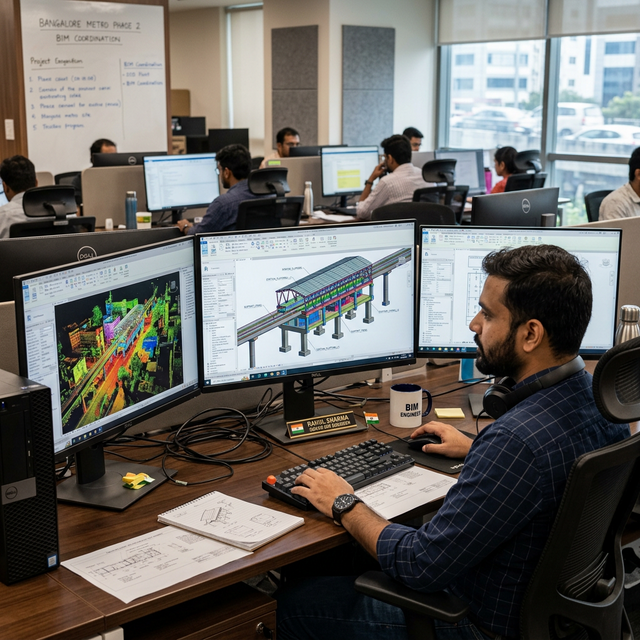
Why Process Discipline Matters
A poorly registered scan contaminates the entire BIM model. A model built without understanding the scan accuracy cannot be trusted for engineering decisions. The seven-step workflow below represents the industry-standard approach for infrastructure and heritage scan-to-BIM projects aiming at LOD 300 to LOD 400 deliverables.
The workflow applies regardless of which specific scanning hardware or BIM platform is used. The logic — field capture, registration, indexing, model setup, modelling, deviation check, export — remains constant.
The 7-Step Workflow
01. Field Acquisition Terrestrial LiDAR scanners are deployed at planned stations across the site. Retroreflective targets are placed for registration. Raw point data and instrument files are captured at each station and backed up on-site before departure.
02. Registration and QA Multi-scan registration software assembles the scan stations into a unified coordinate system using the targets placed in the field. Registration residuals are reviewed per station pair, and any station with errors outside tolerance is flagged for re-survey before processing continues.
03. Point Cloud Indexing The registered scan project is exported to a widely compatible point cloud format and imported into a visualisation and indexing platform. The coordinate system is confirmed, clipping regions are set, and the cloud is decimated or filtered for noise before BIM use.
04. BIM Environment Setup The BIM project is configured with survey origin coordinates matching the project control network. The indexed point cloud is linked into the model environment. Shared coordinates are established so all model elements are spatially anchored to real-world survey control.
05. Modelling from the Scan Structural and architectural elements are modelled by interpreting point cloud cross-sections. Section boxes isolate individual elements. Geometry is modelled to the survey-measured dimensions rather than assumed nominal values, preserving the as-existing condition accurately.
06. Deviation Analysis Point-to-element distance analysis compares the finished BIM model against the source point cloud. Elements outside defined tolerance thresholds are flagged and documented in a colour-coded deviation report, giving the client a clear picture of as-found versus design intent.
07. QA and Open Format Export The model is checked for completeness, clash freedom, and required property set population. IFC export is validated for compliance with the agreed LOD standard. The final deliverable is submitted alongside registration reports and deviation documentation.
Common Pitfalls
- Incorrect coordinate origin: Linking the point cloud to the wrong survey origin means the model is spatially meaningless for engineering use. Always confirm that the BIM environment shares its coordinate origin with the survey control network before linking any data.
- Modelling through scan noise: Noise near glass, water, or highly reflective surfaces reads as false geometry. Always examine the scan in intensity or reflectance mode before modelling around surfaces prone to artefacts.
- Over-relying on cloud-to-cloud registration: Flat, repetitive surfaces — bridge decks, tunnel linings, warehouse floors — appear to register correctly by cloud-matching alone but may carry systematic geometric errors. Physical targets remain essential for primary registration on infrastructure projects.
- Ignoring LOD clarity in scope: LOD 300 and LOD 350 have very different modelling effort requirements. Projects without a clearly agreed LOD specification frequently result in scope disputes mid-delivery. Define LOD per discipline before survey commences.
Choosing Tools for Each Stage
Each stage of the workflow has a category of tools best suited to it. Registration is handled by dedicated scan management platforms that manage station hierarchies and residual reporting. Point cloud indexing converts large scan datasets into spatially queryable formats a BIM environment can reference without performance issues. BIM modelling platforms provide the parametric environment in which elements are created from the scan. Deviation analysis can be done within BIM platforms using visual inspection of scan sections, or via scripted analysis comparing element surfaces to point cloud returns. IFC export is the universal handoff format — any professional BIM platform should be able to export to IFC 4x for client delivery.
The tendency to over-specify software stacks in early project scoping often creates unnecessary friction. A well-executed scan-to-BIM workflow is fundamentally platform-agnostic. The quality is in the methodology, not the brand of tool doing the registration.